Free
$0
- Camera, Photo, Mix and Library
- Three palettes of your own
- Recent colors, always
- Harmony sets, tints, shades and tones
- HEX, RGB, HSL, HSB, CSS, SwiftUI and UIKit
- Procreate Swatches and share image export
- Color-vision previews
Spectra 2 · iPhone, iPad and Mac
A neutral studio for color. Sample photos and the real world, refine by hand, and keep palettes like a swatch book. The only color on screen is yours.
Free to download · $6.99 one-time Pro unlock. Requires iOS 26 or later · macOS 26 or later.
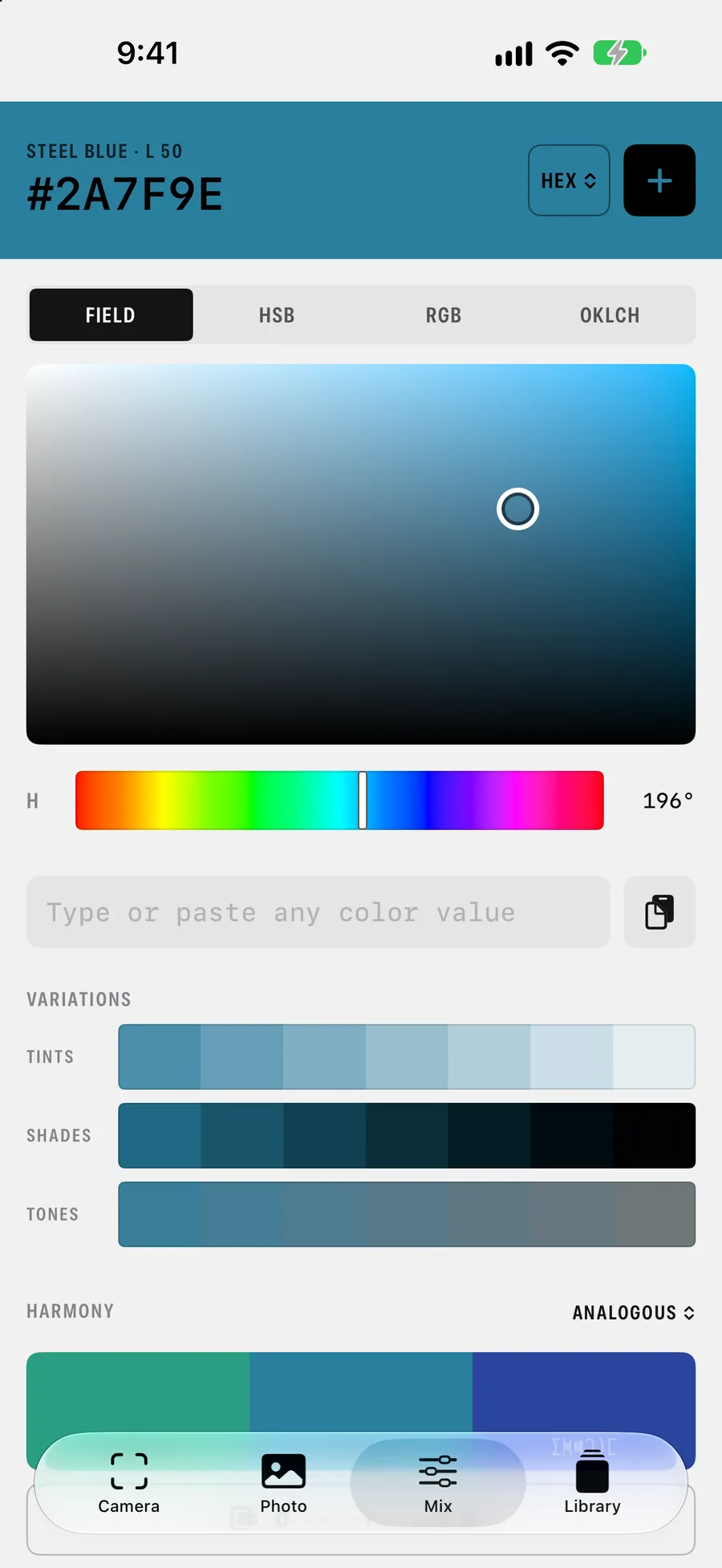
Four tools, one working color
Camera, Photo and Mix share one working color that follows you between them. Sample it from a photo, refine it in Mix, save it from anywhere. Recent colors are kept automatically, and they are always free.
01
Point at anything. Lock the reading with one clear button, choose the sample size, and set a white reference for truer results under real lighting.
02
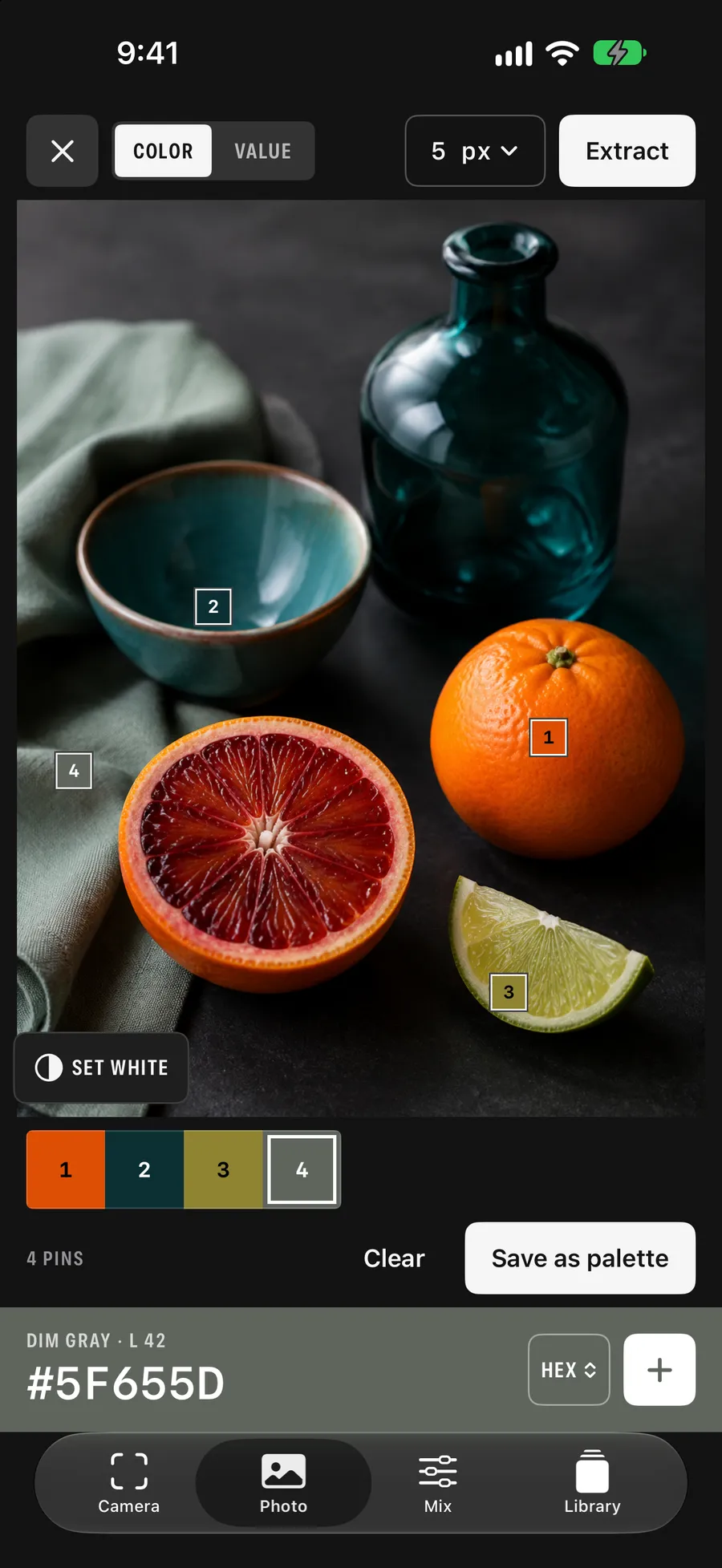
Tap a reference photo as many times as you like. Every tap drops a numbered pin and collects the color. Loupe, sample sizes from 1 to 31 px, a greyscale Value view, Set white, and automatic extraction of 3 to 8 colors.
03
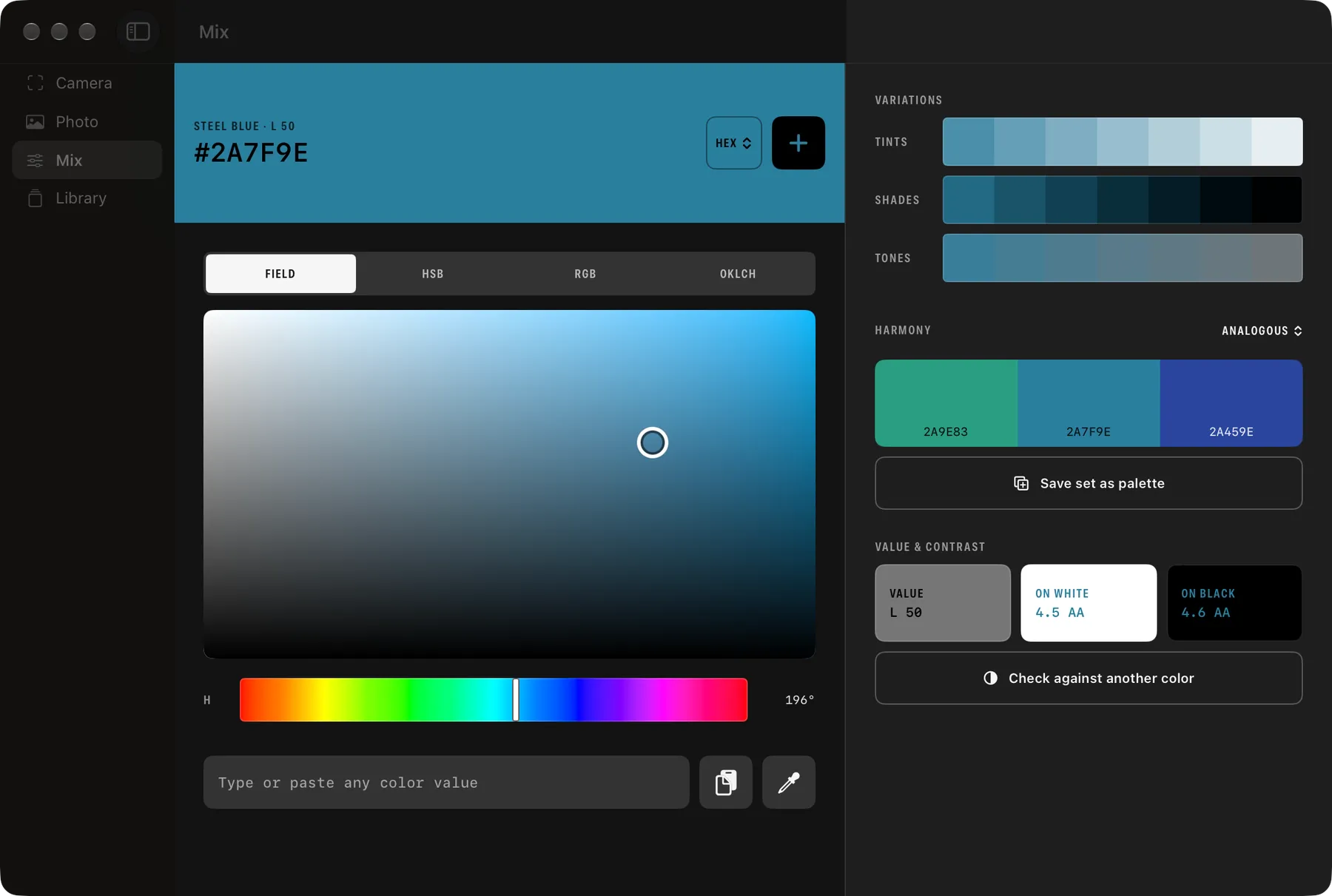
A color field with HSB, RGB and OKLCH sliders. Type or paste any value. Tints, shades and tones, harmony sets, and the color in grey with its contrast on white and black.
04
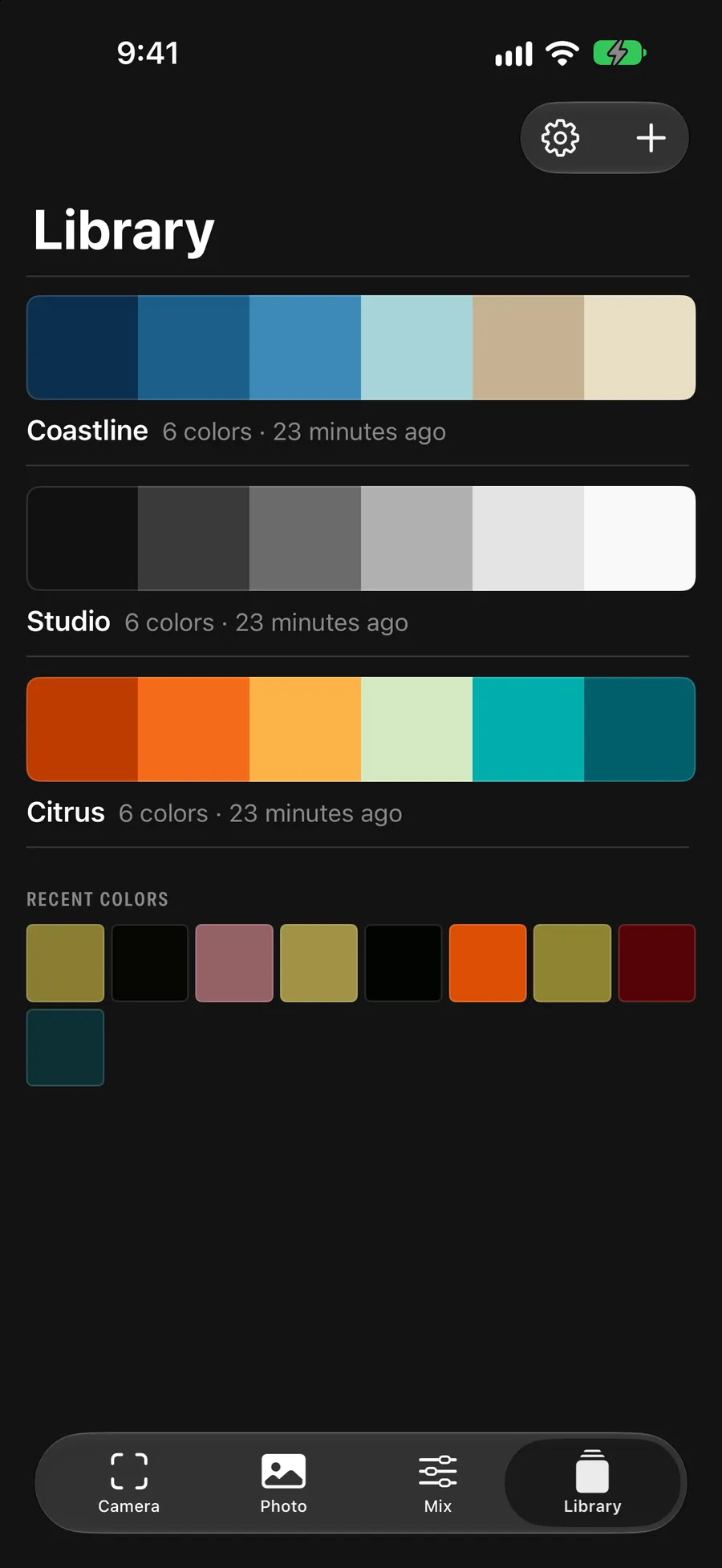
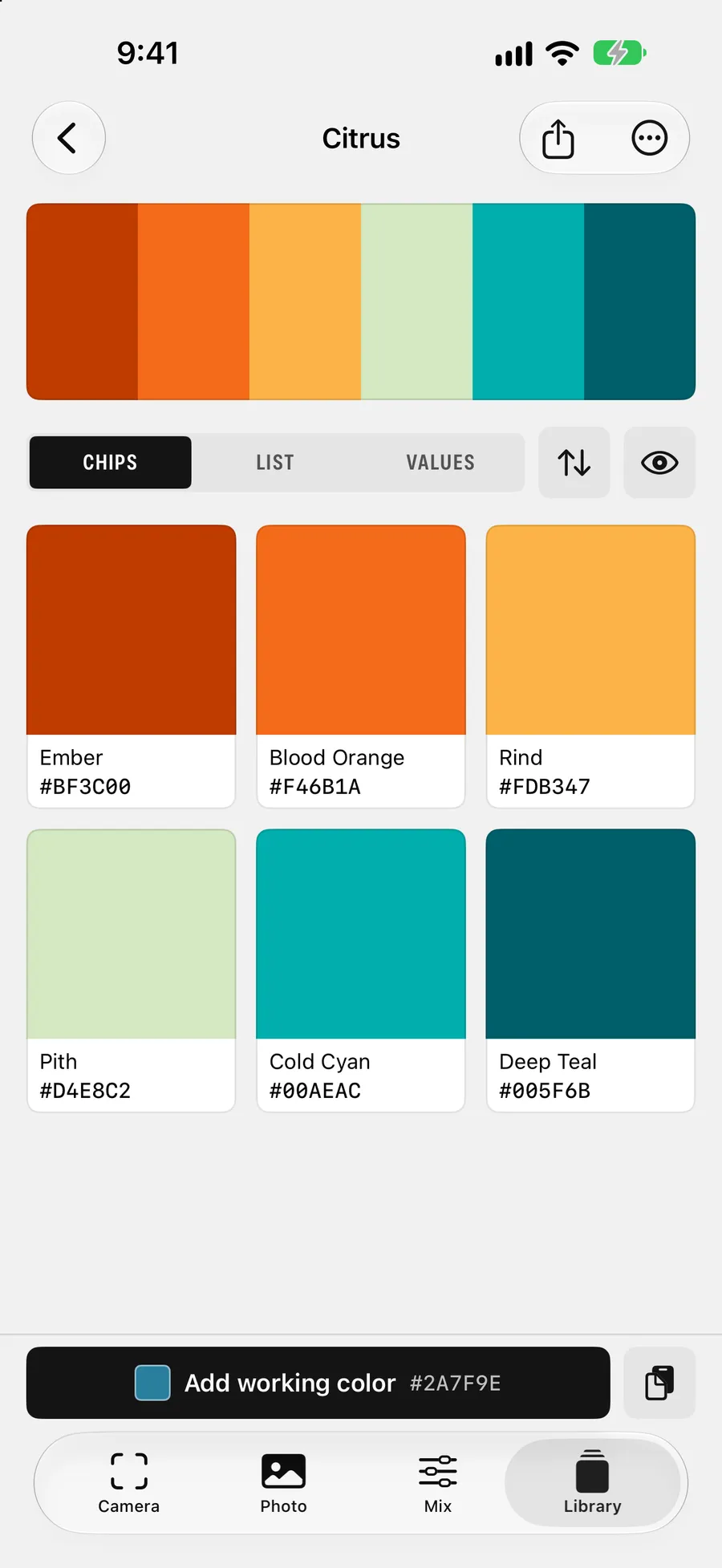
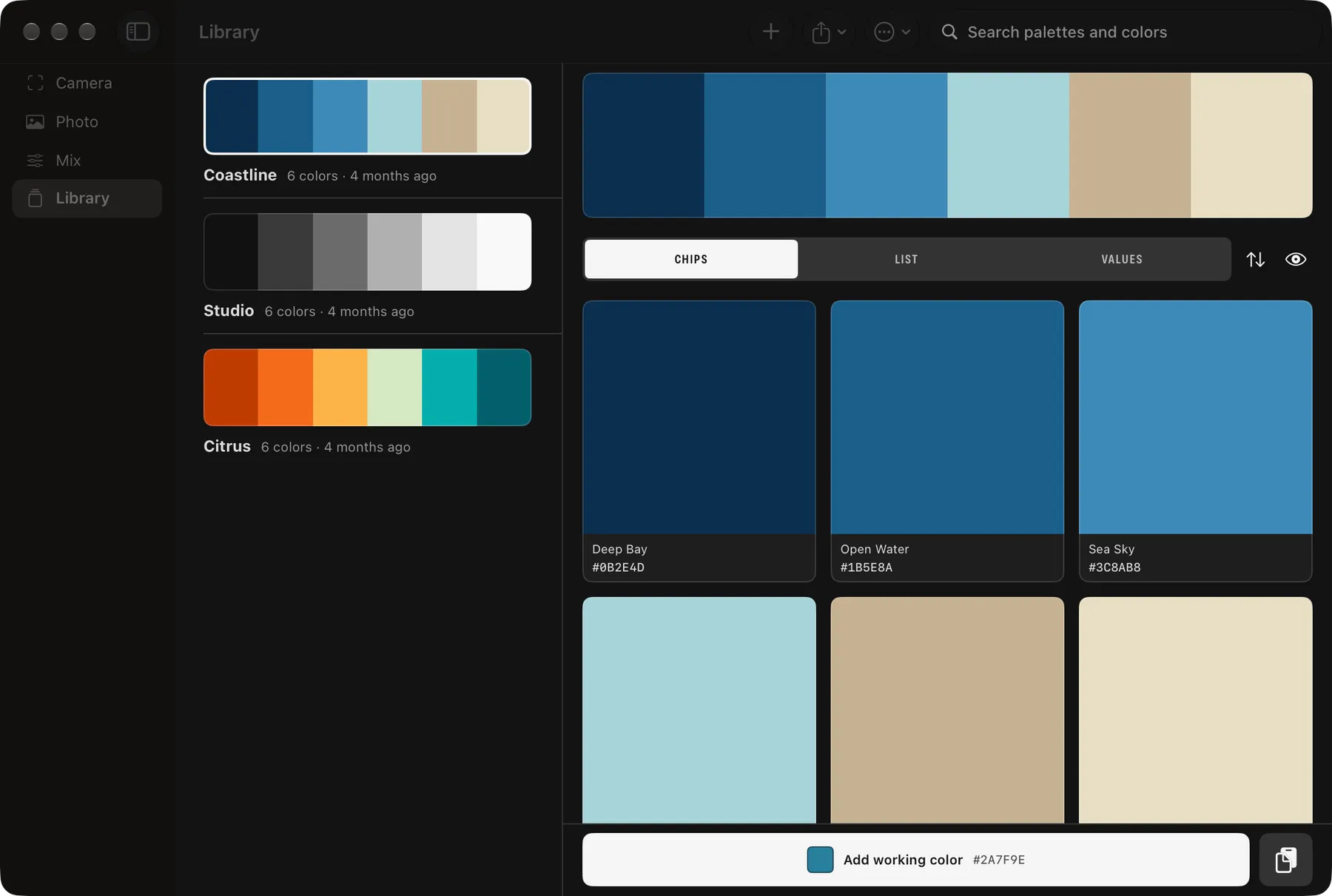
Palettes that work like a swatch book. Chip, list and value views, sort by hue, value or saturation, rename, move, duplicate, search, and preview color-vision differences.
Photo
Sample any reference photo
Mix
Refine it by hand
Library
Keep a swatch book
Library
Every palette, at a glance
On Mac
The menu-bar eyedropper reads the color under your cursor anywhere on your Mac. It lands on your clipboard and in your synced library. Widgets, Shortcuts and the share extension are there too.
See it in action
Sampling a photo, refining in Mix, and building a palette. Silent, so you can play it anywhere.
Copy and export
Tap any value to copy it. Export a palette to the tool you work in next.
Free
Pro
Free
Pro
Free and Pro
Buy once, restore on all your Apple devices.
Free
$0
Spectra Pro
$6.99 once
Everything in Free, plus
Private by design
Camera and photo access happen on your device and nothing is uploaded. Palettes sync through your own iCloud. Read the privacy policy.
